

Most restaurant owners know when service is running well. They feel it in the pace of the floor, the timing of dishes, and the moment a bill gets settled without a second conversation. What they often cannot tell you is which part of the system made that possible.
A POS built for restaurant workflows is that system. Not a general-purpose register, and not a spreadsheet kept under the counter. A dine-in POS tracks every table, every ticket, and every payment method through one connected record, from the moment a party is seated to the moment the cash drawer closes at night.
Editors Pick
- What is a POS system? A complete guide for SMEs
- How Does a POS System Work? A Step-by-Step Guide
- How to Choose a POS System
- How to Read POS Report
A full dining room is a good problem to have
A full dining room runs on three moving parts at once: the floor, the kitchen, and the close of service. How well a restaurant manages all three on a busy evening depends largely on the system connecting them.
The first is the floor: keeping track of which tables are occupied, which are mid-course, and which are ready to be turned. The second is the kitchen: making sure every modification, every course timing, and every special request reaches the right station accurately. The third is close of day: tallying sales by payment type, reconciling cash, and producing a record that holds up when IRAS reporting time comes around.
Each pressure point is manageable on its own. Managing all three simultaneously, across a full dining room, is where a restaurant-specific POS earns its place.
What does a restaurant POS actually do beyond taking payment?
A restaurant POS handles the full arc of a dine-in experience, from the moment a table is seated to the moment a receipt is printed.
At its core, it handles order entry per table, sends tickets to the kitchen, processes payment across multiple methods, and records every transaction in a running sales log. What separates a restaurant POS from a generic retail register is awareness of how a dining room actually works. A retail register handles one transaction at a time. A restaurant POS holds many open orders simultaneously, organized by table, and understands that a table’s order evolves across courses rather than closing the moment the first item is rung in.
The table-awareness is the key distinction. A restaurant POS knows that table six is on their mains, table nine is still on starters, and table two has been waiting eleven minutes for a side that was added after the initial order. A retail register holds none of that context. It closes one sale and moves to the next
How does a POS keep many tables organised during service?
A table management layer is what turns a busy floor into a manageable one.
Inside a restaurant POS, the floor is represented as a visual map where each table shows its current status: empty, occupied, or mid-course. Servers open an order on a specific table and build on it throughout the meal, adding items as the group orders more, adjusting quantities, or noting a modification mid-course. If a group moves tables, the open order follows them. If two groups merge, so do their orders.
This table-level visibility means the right dish reaches the right seat, not the closest available one. Server accuracy improves because the POS, not memory, is holding the state of the floor. A server handling six tables does not need to remember which table asked for the gluten-free option or when they last ordered; the POS carries that detail and surfaces it on request.
For a restaurant operating at capacity on a Friday evening, table management is the layer that keeps service calm even when the dining room is not.
How does the kitchen get the right order at the right time?
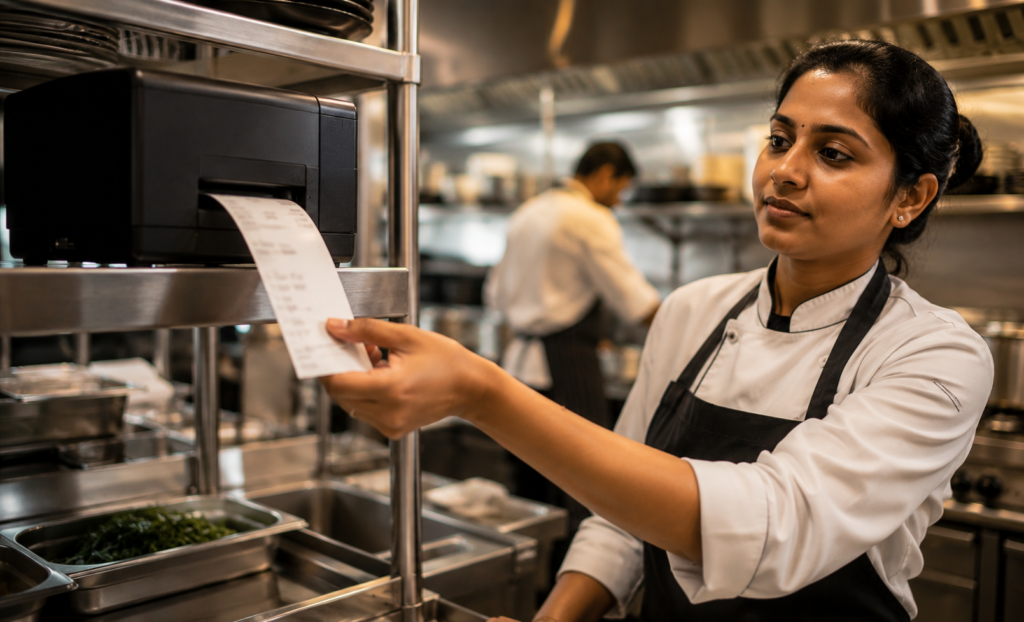
Accurate kitchen coordination depends on the connection between the front of house and the kitchen station, and this is where a restaurant POS does its most critical work.
When a server submits an order from the table, the POS routes a ticket directly to the kitchen, tagged by table number, course, and any modifiers. Special requests, substitutions, and timing notes travel with the ticket rather than getting relayed verbally. The kitchen sees what was ordered, for which table, and in what sequence. No handwritten dockets, no shouted modifications across a busy pass.
Course timing is handled inside the POS as well. The kitchen receives starter tickets when the table is ready for them, not all at once when the order is first taken. This keeps dishes arriving at the right pace rather than the kitchen cooking everything at once and holding mains while the starters are still on the table.
Labamu’s POS Cashier with Order Management handles exactly this routing for dine-in restaurants, sending table orders through to the kitchen station in the right sequence so the line cooks the correct items in order. When service is running at full pace and modifiers are coming in from multiple tables, having that routing automated removes one of the most common sources of error during peak hours.
How do split bills and multiple payment methods work at the table?
Splitting a bill accurately is one of those details that guests remember either way.
A restaurant POS handles splits by item, by seat, or evenly across the group. A table of five where two guests ordered the same main and one ordered an extra side can split the total by what each person actually consumed, not just divide the full amount by five and round up. The POS tracks what belongs to which seat and generates individual sub-totals on request.
Payment method flexibility matters here too. Part of the total can be settled by PayNow, part by credit card, part by SGQR at the table, all within the same transaction. The POS records each payment leg separately, so the end-of-day breakdown shows what portion of revenue came in by each method.
This matters for two reasons. First, accurate splitting protects margins: when rounding errors and manual calculations accumulate across a full service, they compound. Second, guests who have a smooth payment experience at the end of a meal carry that forward in how they remember the restaurant. The bill moment is the last impression.
What happens at end of day when service closes?
The close of service is where a connected POS pays off in a different way.
At end of day, the POS produces a daily sales recap: total revenue, revenue by payment type (cash, PayNow, card, SGQR), number of covers, average spend per table, and any voids or discounts applied during service. The cash drawer reconciliation is built into this flow, so the physical cash count is checked against the POS record of cash payments, rather than against a memory or a handwritten log.
This single connected record is also what makes IRAS reporting more manageable. GST is applied at the point of sale and recorded per transaction. At the end of the period, the sales data is already structured; it does not need to be assembled from receipts or reconstructed from memory.
For a restaurant owner who typically spends the last hour of the night tallying, the difference is measurable. The data is already there. The close becomes a review rather than a rebuild.
| End-of-day task | Manual approach | With a restaurant POS |
|---|---|---|
| Daily revenue total | Tally receipts by hand | Generated automatically at close |
| Payment type breakdown | Separate cash and card manually | Recorded per transaction, split by method |
| Cash drawer reconciliation | Count and compare against mental estimate | Compared against POS cash record |
| GST / IRAS-ready data | Reconstruct from receipts | Structured and available per transaction |
| Void and discount tracking | Noted separately if at all | Logged in-system with reason codes |
Choosing a POS that fits how your restaurant runs
Not every POS is built with a dining room in mind.
For a dine-in restaurant, the features that matter most are table-aware ordering (so every open table has its own live order), kitchen routing (so tickets reach the right station in the right sequence), flexible billing (so split payments and multiple methods close cleanly), and daily reporting that produces a reconciled record by the time service ends.
These are not extras. They are the core of what a busy restaurant needs from a POS on any given evening.
Labamu brings these capabilities together in one connected system designed for restaurant teams in Singapore. Dine-in ordering, kitchen coordination, split bill handling, and end-of-day recap are all part of how the platform works, so the floor, the kitchen, and the close all run from the same record.