


Labamu HRIS
Applicant tracking system from job opening to first day
Publish openings on your own careers page, track every applicant through interview rounds and offers, and turn an accepted offer into an employee with onboarding tasks ready.
One hiring flow from request to first day
Hiring spread across job boards, spreadsheets and chat makes it hard to see where each candidate stands. With recruitment in one HRIS software, every applicant, interview and offer sits in one record, and new hires arrive with their onboarding already planned.
Everything you need to hire and onboard
Staffing plans and job requests
Plan headcount per period and let managers request positions.
Details ↓
Careers page and job openings
Publish openings on a public page candidates apply from.
Details ↓
Applicant tracking
Every applicant per opening, with source and status.
Details ↓
Interview rounds and feedback
Scheduled rounds, structured feedback and a calculated result.
Details ↓
Job offers and offer letters
Offers from standard terms, printed as a letter.
Details ↓
In the app
Onboarding checklists
Tasks with owners and due dates for every new joiner.
Details ↓
Staffing plans and job requests
Plan how many people to hire per job title and what it will cost for each period. Managers request new positions in a structured way, and HR approves them.
- Headcount and hiring budget calculated per plan
- Live headcount next to the planned number
- Duplicate requests checked before they are raised
- Time to fill recorded when a request is filled
Careers page and job openings
Each company gets its own public careers page where candidates browse open positions and apply straight from the page. Openings are checked against the staffing plan and close by themselves after their closing date.
- Openings created from scratch, from a template or from an approved request
- Search, filters and sorting for candidates on the careers page
- Careers page in English
- Applications added to the applicant list automatically

Applicant tracking
Every candidate is recorded once per opening, with their source, contact details, expected salary and CV link. HR moves them between statuses in one click and sees where each one stands.
- Sources such as your careers page, employee referrals and job boards
- Referrals turned into applicants in one step, with the bonus marked when paid
- Interviews and offers listed on each applicant
- Recruitment report with hire rate, offer acceptance and time to fill

Interview rounds and feedback
Plan interviews in named rounds with the right interviewers and see them as a list or on a calendar. Each interviewer rates the skills for that round, and the result is calculated from their feedback.
- Interview types with the skills to rate and default interviewers
- Week and month calendar views of upcoming interviews
- Average rating and result calculated from all feedback
- Interview result applied to the applicant’s status
Job offers and offer letters
Prepare an offer from a template of standard terms, print it as a letter and record the applicant’s answer. An accepted offer becomes an employee record in one step.
- Reusable offer terms and templates
- One open offer per applicant at a time
- Offers checked against planned vacancies when your company requires it
- Applicant and referral statuses updated from the offer outcome
Onboarding checklists
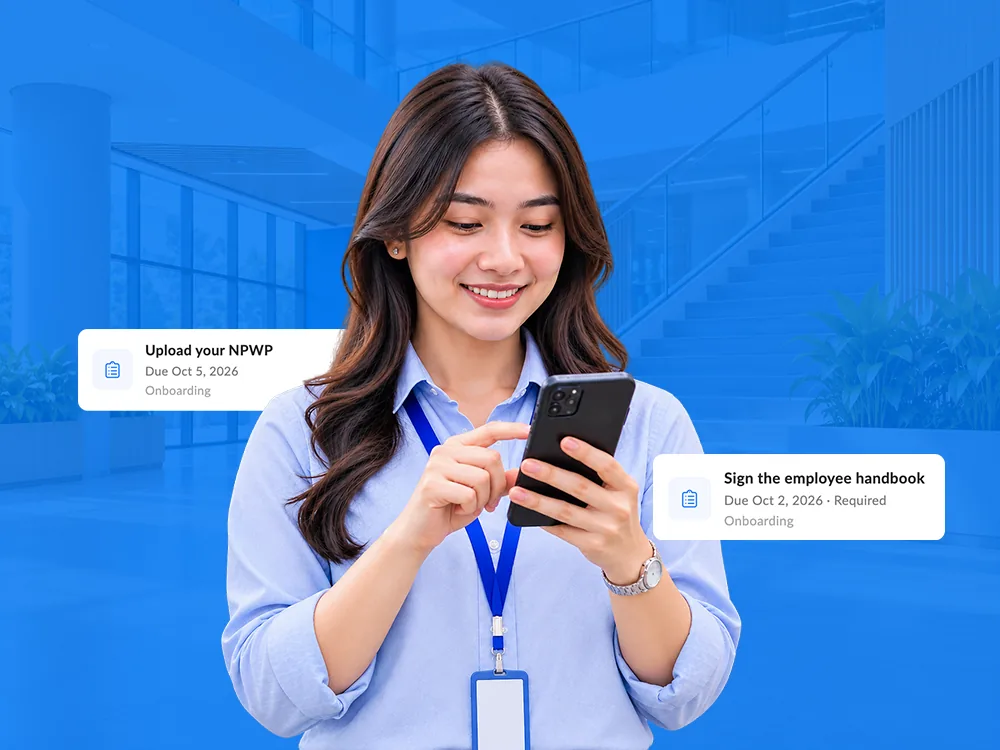
Turn a reusable checklist into dated tasks for each new joiner, assigned to a role such as HR, the manager or the employee, or to a specific person. Task owners tick them off in My tasks on the web or in the app.
- Due dates that skip weekends and public holidays
- Onboarding for a new employee or for an applicant before the first day
- Required tasks finished before an applicant becomes an employee
- Open-task reminder on the app home screen
Also included: multi-step approvals and the employee mobile app
How it works
Plan and request
HR sets the staffing plan, and managers request the positions they need on the web.
Publish the opening
HR publishes the opening on the careers page, and applications arrive in the applicant list.
Interview and decide
Interviewers give feedback for each round, and HR updates the applicant from the result.
Make the offer
HR prepares and prints the offer, then records the applicant’s answer.
Hire and onboard
The accepted offer becomes an employee, and onboarding tasks start for the first days.
Applicant tracking system FAQ
Do we get our own careers page?
Yes. Each company has a public careers page in English, where candidates browse openings and apply straight from the page.
How do candidates share their CV?
Candidates add a link to their CV in the application form, and it is saved on their applicant record.
How do employee referrals work?
HR records the referred candidate, turns the referral into an applicant in one step, and marks the referral bonus as paid once the candidate is accepted.
How is the interview result decided?
Each interviewer rates the skills for the round, and the system averages their feedback into a rating and a result that HR applies to the applicant.
What happens after an offer is accepted?
HR creates the employee from the offer in one step, with the position, employer and department carried over, and can start onboarding at the same time.
Hire with a clear view of every step
See how Labamu HRIS takes each hire from job opening to first day. Book a demo with our team.