

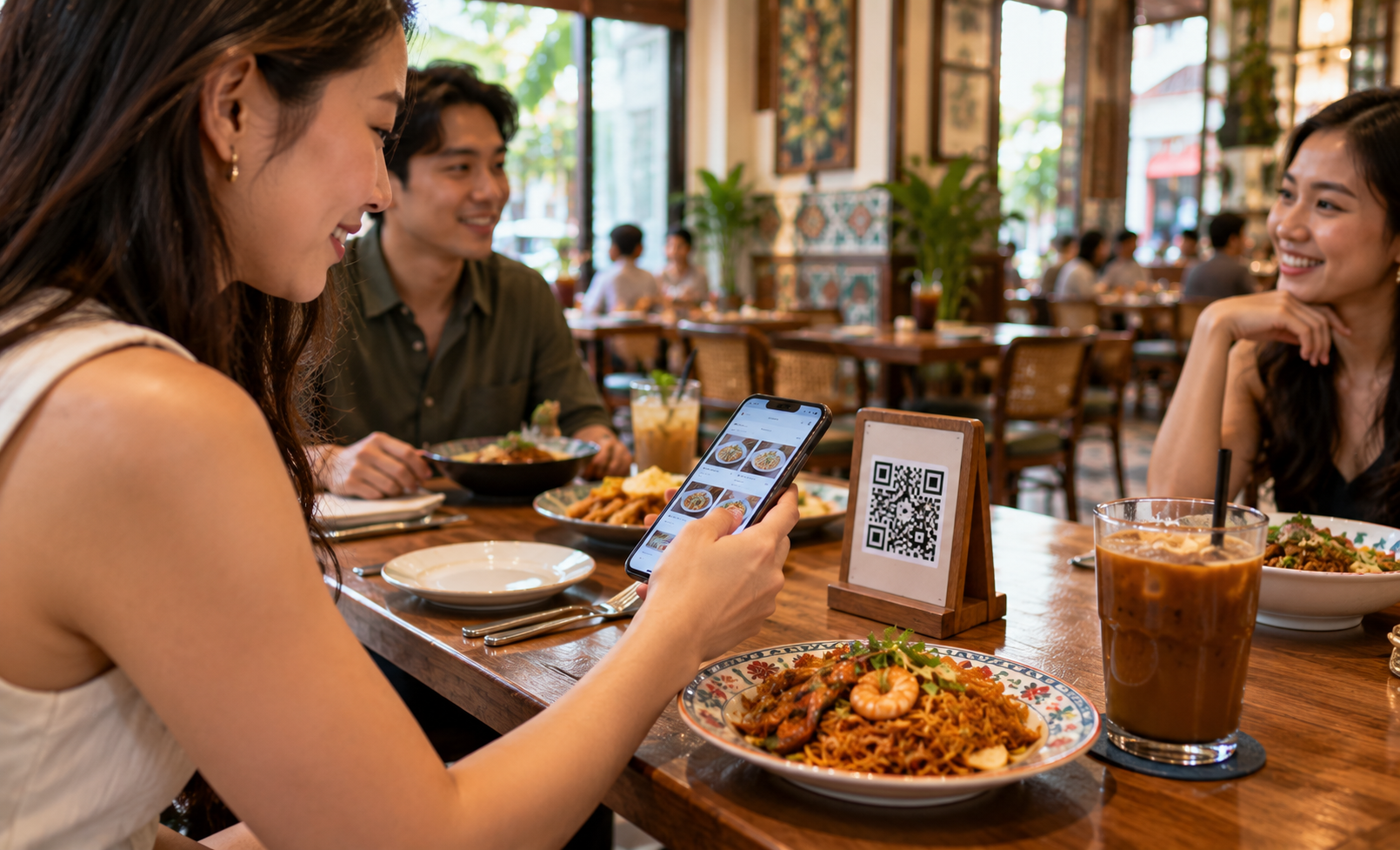
A guest at table eight scans the code, adds an extra egg to the mee goreng, and taps send. Thirty seconds later the order is in, exactly as written, while the server is still pouring water at table three. That is the promise of a QR code ordering system: orders that start at the table and arrive complete.
Every order taken right matters more when sales are tight: Singapore’s food and beverage services sales eased 1.6% year on year in August 2026 (SingStat, 2026). The shift to QR is real yet uneven. In a Milieu Insight survey of 500 Singapore respondents, 52% preferred digital menus, compared with 72% across six Southeast Asian markets (Milieu Insight, 2023). This guide covers how QR ordering works, the features worth prioritising, and a setup that keeps every guest comfortable, whether they scan or call a server.
Key takeaways:
- A QR code ordering system lets guests browse the menu, order, and add requests from their own phone, with each order tied to their table.
- In Singapore, 52% of surveyed respondents preferred digital menus, so the best setups pair QR ordering with friendly server support (Milieu Insight, 2023).
- A menu that updates instantly, clear modifiers, and table-linked orders are the features that shape daily service the most.
- Payment can follow the order at the table or at the counter, with PayNow and SGQR keeping checkout quick.
- Good preparation (code placement, menu photos, and staff roles) decides how smoothly QR ordering runs on the first busy night.
Table of contents:
What a QR code ordering system is and how it works
A QR code ordering system lets guests scan a code at their table, browse a digital menu on their own phone, and send their order straight into the restaurant’s system. Each order carries its table number and every request the guest added, so the team receives complete, readable orders while servers stay free for hospitality.
The flow from scan to kitchen
The journey has four steps. The guest scans the code printed on the table stand or sticker. The menu opens on their phone with photos, descriptions, and options. The guest builds the order, adds modifiers such as “less spicy” or “extra egg”, and sends it. The order then lands in the restaurant’s system, linked to that table, where the team prepares it and tracks it to the table.
Because the guest types the order themselves, the details arrive exactly as intended. Servers spend less time writing orders and more time welcoming guests, checking on tables, and recommending dishes.
QR menu, QR ordering, and QR payment: three different jobs
The term “QR code” covers three separate jobs, and many restaurants start with one before adding the others.
| QR menu | QR ordering | QR payment | |
|---|---|---|---|
| What the guest does | Views the menu on their phone | Places the order from their phone | Pays by scanning a payment code |
| What the restaurant gains | Menu updates with zero reprinting | Accurate orders tied to each table | Faster checkout at the table or counter |
| Typical starting point | Cafes refreshing printed menus | Busy dining rooms with several tables | Any outlet accepting PayNow or SGQR |
A full QR ordering system usually combines the first two and connects to the payment step, so the guest moves from browsing to ordering to paying in one smooth flow.
Benefits restaurants feel from the first week
- Orders that arrive complete. Modifiers, notes, and quantities come straight from the guest, so the kitchen works from exactly what was asked.
- More time for hospitality. Servers spend fewer trips taking orders and more time making guests feel looked after.
- A menu that keeps up. New dishes, sold-out items, and price changes go live in minutes, with every printed menu left unchanged.
Where Singapore diners stand on QR ordering
Singapore diners are open to QR ordering, yet many still value a personal touch. Survey data shows that around half prefer digital menus and about a third order by QR regularly, with younger diners leading the way. The strongest setups give guests both options: a fast QR flow and a friendly server on hand.
What the numbers say
In Milieu Insight’s survey of 3,000 respondents across six Southeast Asian markets, carried out from November to December 2023, 72% preferred digital menus overall. Singapore’s share was lower at 52%, based on 500 local respondents (Milieu Insight, 2023). The same regional survey highlighted what diners want from QR menus: 76% wanted interfaces that work smoothly on mobile, and 71% wanted menus that load fast.
Usage is also growing. According to GlobalData, 36% of Singaporeans regularly use QR codes to order food, with the habit especially common among Gen Z diners (GlobalData via QSR Media, 2024).
Designing for guests who prefer a server
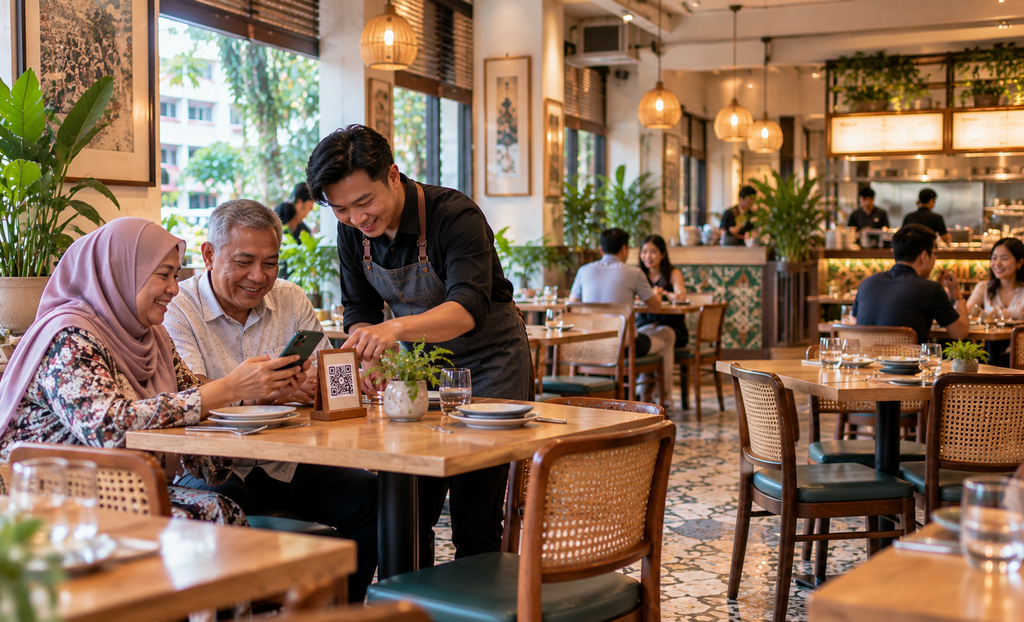
These numbers point to a simple design rule: offer QR ordering as an option, and keep a server close by. A short line on the table stand, such as “Scan to order, or wave us over anytime”, tells every guest both paths are welcome.
Older guests, families with young children, and first-time visitors may appreciate a quick walkthrough of the first scan. A guided first scan helps guests feel confident ordering on their own next time. Treat QR as a helper for the team, alongside warm service, and guests settle into it at their own pace.
Features worth prioritising in a QR ordering system
The most valuable features are the ones guests and staff touch every service: a menu that updates instantly, orders that carry the right table number, clear modifiers, and flexible payment. Together these keep orders accurate during the rush and make the guest’s experience feel simple from the first scan to the final bill.
A menu that updates with zero reprinting
A digital menu lets you add a seasonal dish, mark an item as sold out, or adjust a price in minutes. Guests always see the current menu, which keeps expectations and the kitchen in step.
Look for a menu builder that supports photos, short descriptions, and categories that mirror your printed menu, so regulars find their favourites quickly.
Orders tied to the right table
Each table needs its own code, or a code that asks the guest to confirm their table number. When every order carries its table, runners deliver to the right guest the first time and the bill gathers everything ordered at that table.
This matters most at peak hours, when several tables order at once and the team needs to know at a glance where each dish belongs.
Modifiers and special requests captured clearly
Modifiers turn a menu into a real conversation with the kitchen. Spice level, add-ons, portion size, and notes like “sauce on the side” should be easy for guests to select and clearly displayed for the team.
Keep modifier lists short and specific. Five well-chosen options are easier for guests than a long free-text box, and they arrive in a consistent format the kitchen can read quickly.
Payment at the table or the counter
Some restaurants prefer guests to pay right after ordering, while others settle the bill at the end of the meal. A good system supports both. In Singapore, PayNow and SGQR let guests pay quickly by scanning a code, and the counter remains open for card and cash payments.
Match the payment step to your service style. Quick-service outlets often collect payment upfront, while sit-down restaurants usually keep the bill open until the meal ends.
QR code ordering system
Orders that start at the table and arrive complete
Three things restaurants feel right away
Orders land as written
Every modifier comes straight from the guest’s phone.
More time for hospitality
Servers spend fewer trips taking orders.
Menu updates in minutes
Change items and prices, skip the reprint.
What happens on each side of the order
GUEST
- Scans the table QR code
- Browses photos and descriptions
- Adds modifiers and notes
- Pays by PayNow, SGQR, or at the counter
RESTAURANT
- Order tied to the right table
- Order recorded in the system instantly
- Dine-in and takeaway seen together
- Staff focused on welcome and service
QR ordering by the numbers
52%
Of Singapore respondents prefer digital menus
72%
Prefer digital menus across six Southeast Asian markets
36%
Of Singaporeans regularly order food by QR code
Sources: Milieu Insight, 2023; GlobalData via QSR Media, 2024
Labamu QR Menu at a glance
Digital menu by QR
- Menu available anytime
- Updates with zero reprinting
Ordering from the table
- Guests order on their own phone
- Orders recorded automatically
Dine-in and takeaway
- One clear ordering flow
- Pay at the counter or after ordering
Operational control
- Set QR ordering hours
- Many tables handled at peak hours
Getting QR ordering ready for service
A smooth first night depends on preparation more than technology. Clear table codes, an inviting digital menu, defined staff roles, and a plan for kitchen pacing at peak hours turn QR ordering from a new gadget into a reliable part of service. A short soft launch helps the team fine-tune before full rollout.
Placing and labelling table QR codes
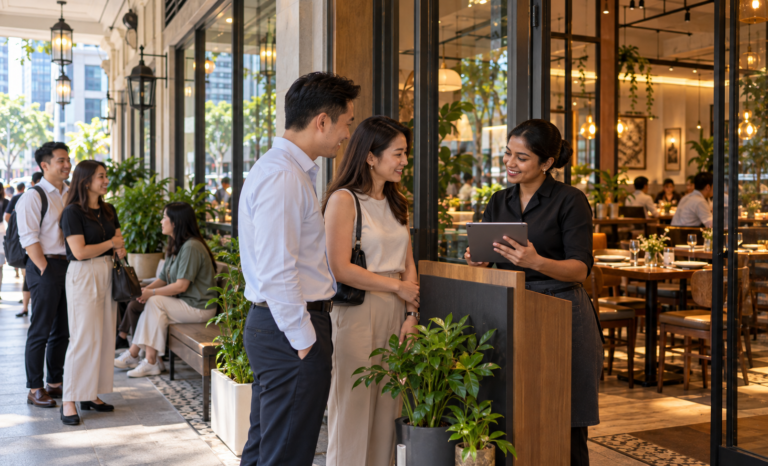
Place each code where guests see it as they sit down, such as a table stand, a corner sticker, or the menu holder. Print the table number next to the code and add one line explaining the choice to scan or call a server.
Test every code before service. A quick scan from each table confirms it opens the right menu and links to the right table.
Menu photos, descriptions, and modifiers
Guests decide faster when they can see the dish. Use clear, well-lit photos for signature items and keep descriptions to one or two lines that mention key ingredients and allergens.
Group items the way guests think: starters, mains, drinks, desserts, and set meals. Add modifiers only where guests genuinely choose, such as spice level or add-ons.
Staff roles once ordering moves to the table
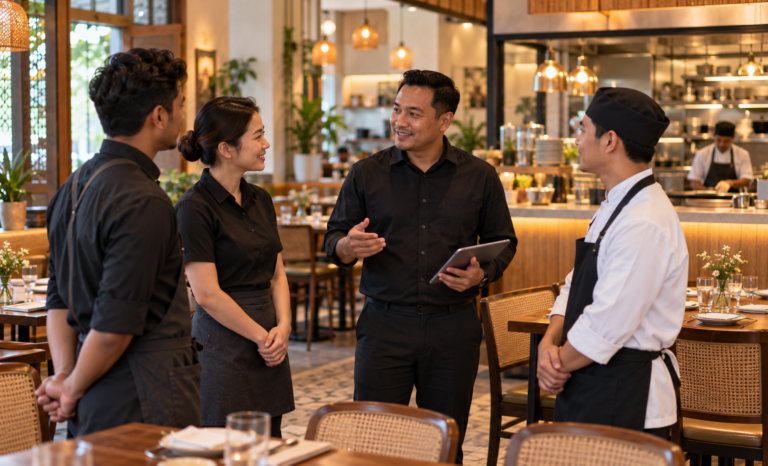
QR ordering shifts the server’s role from order-taker to host. Assign who helps guests with their first scan, who monitors incoming orders, and who runs food to tables.
Brief the team on common questions, such as how to add an item to an existing order or how to split the bill, so every guest gets a confident answer.
Keeping kitchen pace steady at peak hours
When every table can order at once, the kitchen sees orders arrive in bursts. Plan for this by grouping dishes by station, setting realistic preparation times for popular items, and marking items as sold out early when stock runs low.
Some restaurants also pause QR ordering for a few minutes when the kitchen is at capacity, then resume once the queue clears. Setting operating hours for QR ordering keeps late orders aligned with kitchen closing time. This direction matches Singapore’s refreshed Food Services Industry Digital Plan, released by IMDA and Enterprise Singapore in July 2025, which adds solution categories such as automated self-checkout and systems that automate ordering, preparation, and checkout (IMDA, 2025).
Choosing a QR ordering setup by restaurant type
The right setup depends on how guests order, how long they stay, and how much of your trade is takeaway. Casual dining benefits from table-linked ordering with an open bill, cafes from quick ordering with upfront payment, and takeaway-heavy outlets from a QR flow that keeps pickup organised. Matching the flow to your format keeps service smooth.
Casual and family dining
Casual restaurants often see groups ordering in rounds. Table-linked QR ordering lets guests add dishes and drinks throughout the meal, with everything collected on one open bill. Servers stay close to help with recommendations and larger group orders.
Cafes and fast-casual outlets
Cafes thrive on speed. A QR flow where guests order and pay upfront keeps the counter queue short and lets baristas focus on drinks. A clear pickup point or table service flag tells guests where their order will arrive.
Takeaway-heavy outlets
For outlets with strong takeaway trade, a QR code at the entrance or on the counter lets guests order while they wait. Orders arrive marked for takeaway, so the team can pack them in sequence and call guests when ready.
Labamu QR Menu for table-side ordering
Labamu is a connected business platform built for businesses in Singapore, and Labamu QR Menu brings the digital menu and table-side ordering into one flow. Guests scan, browse, and order from their own phone, orders are recorded in the system automatically, and the restaurant keeps control of how and when QR ordering runs.
Ordering, dine-in, and takeaway in one flow
Labamu QR Menu displays your menu digitally, so guests can access it anytime by QR and you can update it with zero reprinting. Guests place orders from their own device, and each order is entered into the system automatically, helping the team process orders faster and with fewer mistakes. The flow supports both dine-in and takeaway, and guests can pay at the counter or after placing their order.
Restaurants can set operating hours and control how QR ordering is used, and the system handles multiple tables at once, even during peak hours. For restaurants that also want to connect tables and the kitchen, Labamu’s Restaurant Management System, now rolling out in stages, extends this flow to table management and the kitchen display.
Getting started with Labamu
Start with your menu: organise categories, add photos for signature dishes, and set modifiers for the choices guests make most. Print table codes with clear table numbers, brief your team on their new roles, and run a soft launch during a quieter service. After a week, review which items guests order most by QR and refine the menu.
Scan, send, served. Great QR ordering feels effortless. Explore Labamu QR Menu to see how table-side ordering fits your restaurant.
Frequently asked questions
Do guests need to download an app to order by QR code?
It depends on the system. Many QR ordering systems open directly in the phone’s web browser after a scan, which keeps the first order quick. Check how your chosen system works and mention it on the table stand so guests know what to expect.
Can guests still order through a server?
Yes, and they should be able to. With 52% of surveyed Singapore respondents preferring digital menus (Milieu Insight, 2023), many guests still value ordering in person. A line on the table stand inviting guests to scan or call a server keeps both paths open.
How do QR orders reach the kitchen?
The order goes from the guest’s phone into the restaurant’s system, linked to the table. From there, the team sees it on the device or screen used for incoming orders. Restaurants with a kitchen display system can route orders straight to the cooking stations.
Can guests pay with PayNow after ordering by QR?
Many restaurants accept PayNow and SGQR at the table or the counter, depending on how their payment step is set up. Decide whether guests pay right after ordering or at the end of the meal, and make the option clear on the menu.
Is QR ordering suitable for older guests?
Yes, with a few thoughtful touches. Large, clear dish photos, short descriptions, and readable text sizes make the menu easy to follow on any phone. A quick walkthrough of the first scan helps guests feel at ease from the start.
How often can a QR menu be updated?
As often as you need. Digital menus can be changed in minutes, so seasonal dishes, price adjustments, and daily specials go live right away. Many restaurants review their menu weekly based on what guests order most.
Does QR ordering work for takeaway?
Yes. A QR code at the entrance or counter lets takeaway guests order while they wait. Orders arrive marked for takeaway, so the team can pack them in sequence. Labamu QR Menu supports both dine-in and takeaway in the same flow.
What happens when an item sells out?
Staff can mark the item as unavailable in the digital menu, and guests see the update right away. This keeps orders accurate and saves an awkward conversation at the table. Updating stock-sensitive items before peak hours helps the kitchen pace the evening.