

Table of Contents:
- The Problem with Paper Tickets and Shouted Orde
- What Is a Kitchen Display System?
- How a Kitchen Display System Changes Kitchen Operations
- Kitchen Display System vs Paper Tickets
- Who Needs a Kitchen Display System
- What to Look for in a Kitchen Display System
- Switching from Paper to a KDS: A Practical Rollout
What you will take away from this guide:
- A kitchen display system (KDS) sends orders from the point of sale straight to a kitchen screen in real time, replacing paper tickets or shouted orders with a digital order queue.
- Paper tickets and shouted orders tend to break down in a rush: tickets get lost, modifications get missed, and stations don’t share one view of what’s pending.
- With a KDS, modifications attach to the order itself, every station sees the same live queue, and completed orders clear automatically.
- It matters most for kitchens with more than one station, several order sources (dine-in, takeaway, delivery), or regular rushes. Smaller, quieter kitchens can run well on paper.
- Labamu’s Kitchen Display System is one of the features under Labamu’s Restaurant Management System.
For a lot of kitchens, the moment an order leaves the front of house is also the moment it becomes hardest to track. A ticket gets clipped to a rail, an order gets shouted across the pass, or a server walks back and forth to confirm what’s still cooking. None of this is a sign of a badly run kitchen, it’s just what happens when the tool connecting front of house to back of house is paper or a raised voice.
A kitchen display system (KDS) is built to close that specific gap. This article looks at what actually changes when a kitchen switches from paper tickets to a digital order display.
Editors Pick
- POS vs RMS comparison
- Practical guide to managing restaurant tables digitally
- Standardising restaurant operations across shift
The Problem with Paper Tickets and Shouted Orde
Paper tickets and shouted orders work, until the kitchen gets busy enough that they don’t. A few things tend to go wrong at that point:
- Tickets get lost or misplaced, especially during a rush when the rail fills up faster than dishes go out.
- Modifications are easy to miss, since a handwritten note or a shouted correction relies on someone catching it the first time.
- There’s no shared view of what’s pending, so different stations may be working off slightly different information about what’s already started.
- Coordination during timing depends on communication, meaning dishes for the same table can come out at different times if one station falls behind and no one notices.
None of these problems are really about staff effort. They’re about a system, paper and verbal communication, that wasn’t built to keep a busy kitchen synchronised on its own.
What Is a Kitchen Display System?
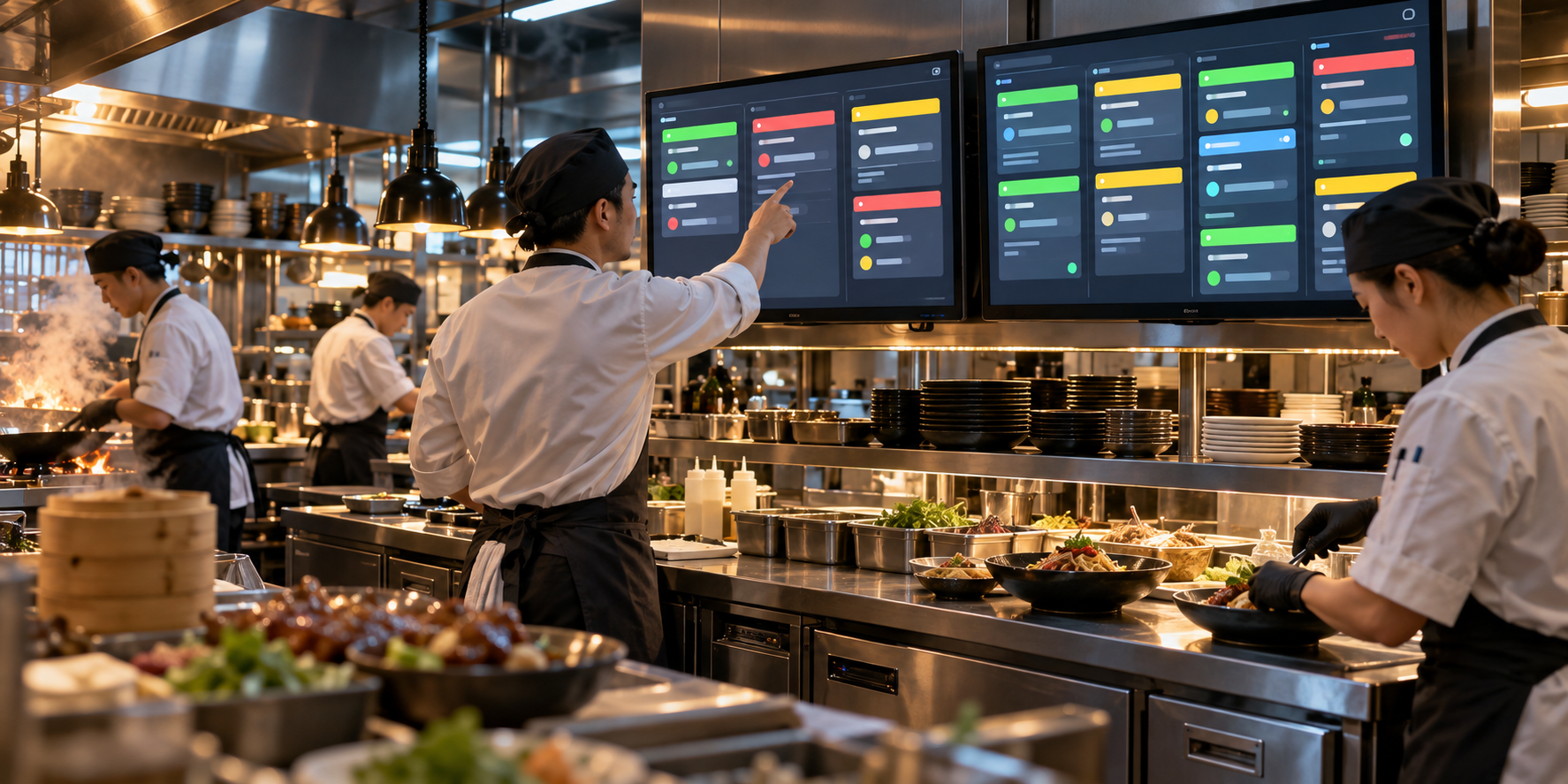
A kitchen display system takes an order placed at the point of sale and displays it on a screen in the kitchen, usually organised by station, table, or order time. Instead of a physical ticket moving through the kitchen, the order appears on screen the moment it’s placed, and can be marked as in progress or complete directly from that screen.
This means front of house and back of house are working from the same live order data, rather than a paper record that only reflects what was true at the moment it was written.
How a Kitchen Display System Changes Kitchen Operations
The shift from paper to a digital order display changes a few specific points in how a kitchen runs day to day:
- Order placed → order visible in real time. An order taken at the counter or table appears on the kitchen screen immediately, without someone walking it back or writing it down twice.
- Modifications are attached to the order itself. A change or special request shows up as part of the digital order, rather than depending on a handwritten note or a verbal update being caught correctly.
- Stations see the same queue. Every station working off the same screen means there’s one shared view of what’s pending, what’s in progress, and what’s done, instead of separate physical tickets moving independently.
- Completed orders clear automatically. Marking an order done on screen removes it from the queue, so the kitchen isn’t relying on someone physically pulling a ticket off the rail.
None of this removes the skill involved in running a kitchen. What it changes is how much of that skill goes toward actually cooking, versus tracking and re-confirming what’s already been said.
Kitchen Display System vs Paper Tickets
| Operational area | Paper tickets / shouted orders | Kitchen display system |
|---|---|---|
| Order visibility | One physical ticket, or verbal only | Visible on screen to every station at once |
| Modifications | Handwritten or shouted, easy to miss | Attached directly to the digital order |
| Shared view across stations | Not shared unless tickets are duplicated | Same live queue for all stations |
| Tracking what’s done | Ticket manually pulled or crossed out | Marked complete on screen, clears from the queue |
| Risk during a rush | Higher, tickets can be lost or delayed | Lower, order data stays in the system |
Who Needs a Kitchen Display System
A kitchen display system tends to matter most wherever a kitchen already relies on more than one person coordinating around the same set of orders, which covers a wide range of setups. A kitchen with more than one station benefits from having a shared queue instead of separate paper tickets moving independently.
A business handling dine-in, takeaway, and delivery orders at the same time benefits from having all of it in one visible queue rather than juggling different order sources by hand. And any kitchen that regularly deals with a rush, whether that’s a lunch peak or a weekend dinner service, benefits from not having tracking depend on paper staying in the right place under pressure.
Smaller or quieter kitchens can run on paper tickets without major issues. The value of a KDS becomes clearer as order volume, station count, or order sources increase.
What to Look for in a Kitchen Display System
Not every kitchen needs the same things from a KDS. Before comparing options, it helps to check a few practical points against how your own kitchen runs:
| What to check | Why it matters | Question to ask a provider |
|---|---|---|
| Station routing | Orders should reach the right station instead of one shared screen for everyone | Can orders be sent to different stations, such as grill or drinks? |
| Modification visibility | Special requests are easy to miss on a busy screen | How are changes and special requests shown on the order? |
| Order status | The kitchen needs to see what’s pending, in progress, and done | Can staff mark orders as in progress or complete from the screen? |
| POS connection | Orders should arrive without being typed in twice | Does the KDS connect directly to the point of sale we use? |
| Hardware | Screens and mounts add cost and setup time | What hardware is needed, and does it work with what we already have? |
| Connectivity | A kitchen can’t stop when the internet drops | What happens to orders if the connection drops mid-service? |
There’s no single correct setup. The right answer depends on how many stations the kitchen runs, which order sources it handles, and how it expects to grow.
Switching from Paper to a KDS: A Practical Rollout
Moving from paper tickets to a screen is mostly a change in habit, so a little preparation goes a long way. A simple order of steps:
- Map the current ticket flow. Note where tickets are written, who carries them, and where they tend to get stuck.
- Decide how the kitchen is divided. List the stations and which menu items belong to each.
- Brief the team before go-live. Show front-of-house staff how to enter modifications, and kitchen staff how to read and clear orders.
- Start in a quieter shift. Running the first shifts at lower volume leaves room to adjust.
- Keep paper as a backup at first. Phase it out once the team is comfortable with the screen.
The goal isn’t to change how the kitchen cooks, only how orders reach it.
What This Looks Like with Labamu
Labamu’s Kitchen Display System is one of the features under Labamu’s Restaurant Management System, built to take orders placed at the point of sale and show them in the kitchen in real time, in place of a printed ticket or a shouted order.
In practice, that means an order taken at the counter or table appears on the kitchen screen as soon as it’s placed, with any modifications attached to it directly rather than relying on a note being read correctly. Stations work off the same live queue, and an order clears once it’s marked complete, rather than depending on someone physically removing a paper ticket.
This sits alongside the other areas Labamu’s Restaurant Management System covers, restaurant table management, restaurant payments, and restaurant configuration, as part of the same connected system rather than a separate tool a kitchen has to manage on its own.
Frequently Asked Questions
What is a kitchen display system?
A kitchen display system is a screen that shows orders sent from the point of sale directly to the kitchen, replacing paper tickets or shouted orders with a real-time digital order queue.
How does a kitchen display system work?
An order placed at the counter, table, or through a digital menu is sent to a screen in the kitchen, organised by station, table, or order time. Kitchen staff can view, update, and mark orders complete directly from that screen.
What’s the difference between a KDS and paper tickets?
Paper tickets rely on a physical record moving through the kitchen and staff catching handwritten or shouted updates. A KDS keeps the same order data visible to every station at once, and updates in real time as the order changes.
Do small kitchens need a kitchen display system?
Not necessarily. A small, quiet kitchen can run well on paper tickets. A KDS tends to matter more as the number of stations, order sources, or busy periods increases.
Does a kitchen display system replace the need for kitchen staff?
No. A KDS changes how orders are tracked and communicated, not who prepares the food. Cooking, timing, and quality still depend on the kitchen staff running the station.
Conclusion
The shift from paper tickets to a kitchen display system isn’t about replacing what kitchen staff do, it’s about giving them a shared, real-time view of what’s actually happening with an order, instead of relying on a physical ticket or a shouted update to stay accurate. For a kitchen already juggling more than one station or more than one order source, that shared view tends to be where the difference shows up first.
If you want to see how this works in more detail, you can explore Labamu’s Kitchen Display System.