

Table of Contents:
What you will takeaway from this guide:
- A restaurant payment system ties the payment step to the order it belongs to, so staff and customers don’t rely on a separate payment log that has to be cross-checked.
- Disconnected payment handling tends to mean manual cross-checking, slower split bills, harder-to-trace corrections, and longer waits at checkout.
- With payment tied to the order, totals reflect what was ordered, splitting a bill draws on the itemised order, and corrections link back to the original order.
- It matters most for restaurants with modified orders, frequent split bills, or high transaction volumes. Quieter operations with simple orders may not notice much difference.
- Labamu’s Restaurant Payments is one of the features under Labamu’s Restaurant Management System, built to make receiving payments faster and easier.
Payment is usually the last step a customer experiences, and it’s also where small friction tends to show up most: a bill that doesn’t match what was ordered, a wait while staff confirm a total, or a split-bill request that turns into manual math. This article looks at what changes when payment is connected directly to the order, rather than handled as a separate step.
The Problem with Disconnected Payment Processing
When payment isn’t tied to the order record, a few recurring issues tend to show up:
- Totals need manual cross-checking. Staff may need to confirm a bill against what was actually ordered, especially if there were modifications or added items along the way.
- Split bills take longer to work out. Dividing a bill between guests without a system that already knows what was ordered usually means manual calculation at the table or counter.
- Refunds or corrections are harder to trace. If payment records don’t clearly link back to a specific order, adjusting a mistaken charge means reconstructing what happened from separate records.
- Customers wait longer than necessary. Any delay in confirming a total before payment can be processed adds to the time a customer spends waiting to leave.
These issues aren’t about staff being careless. They come from payment being handled as a separate process from the order itself, so the two records have to be reconciled by hand.
What Is a Restaurant Payment System?
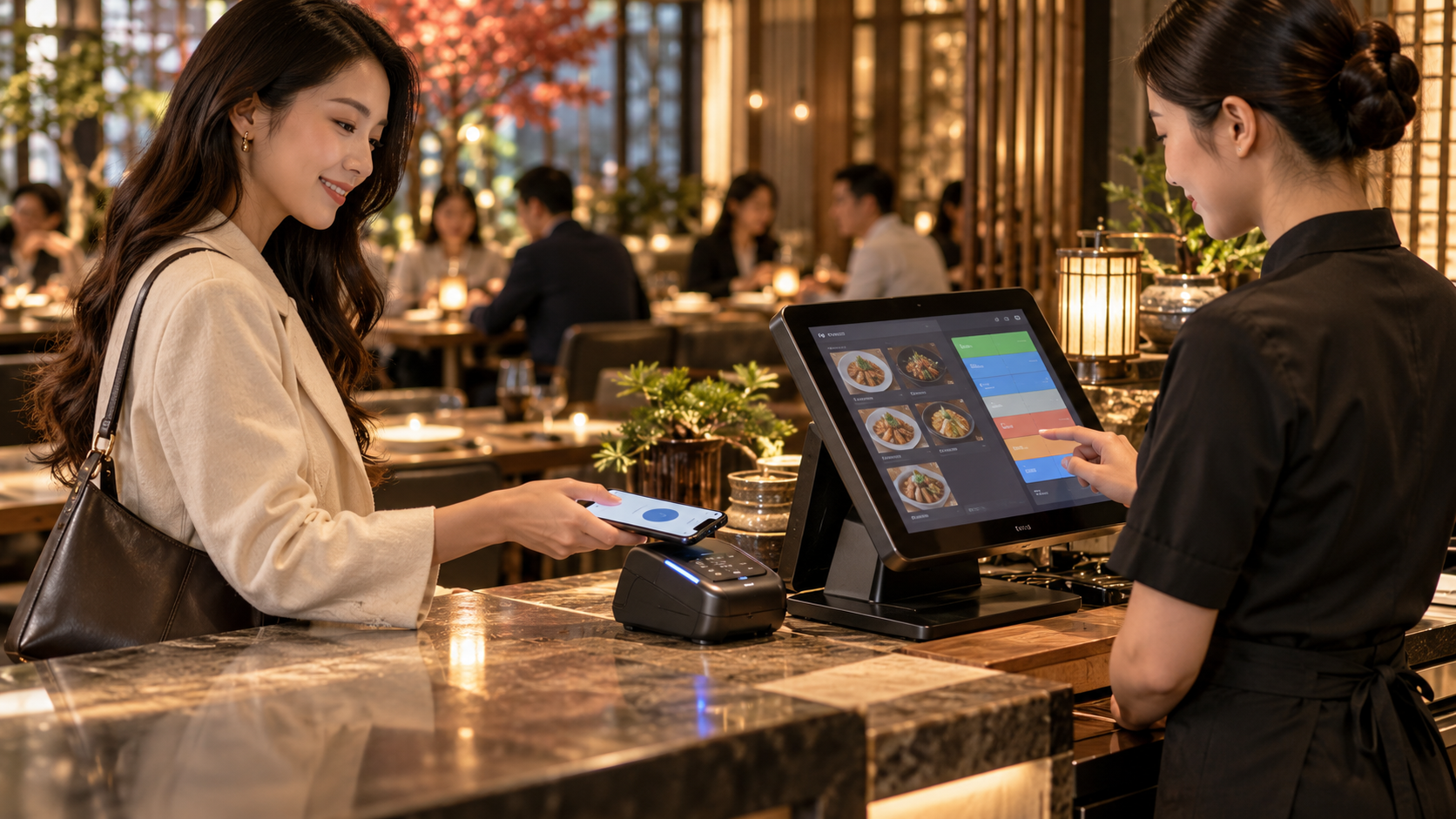
A restaurant payment system processes payment as part of the same record as the order, rather than as a separate transaction staff have to match up afterward. When an order is placed, the payment step already reflects exactly what’s being paid for, including any modifications, so there’s nothing to cross-check manually before the customer pays.
This keeps the order and the payment as one continuous record, from the moment something is ordered to the moment it’s paid for.
How This Changes the Payment Experience
Applying a payment to the order changes a few specific points for both staff and customers:
- Totals are accurate without manual checking. Because payment reflects the order record directly, staff aren’t reconstructing a bill from memory or a separate note.
- Split bills are easier to work out. With the order already itemised in the system, splitting a bill between guests doesn’t require manual calculation from scratch.
- Corrections are traceable. A refund or adjustment can be tied back to the specific order it relates to, rather than requiring staff to piece together what happened.
- Customers spend less time waiting to pay. With less manual reconciliation before a total is confirmed, the payment step itself moves faster.
For customers, this mostly shows up as a smoother, faster checkout. For staff, it means less time spent double-checking totals during a shift that’s already busy.
Manual Payment Handling vs an Integrated Payment System
| Variable | Payment handled separately | Integrated payment system |
|---|---|---|
| Bill accuracy | Requires manual cross-check against the order | Reflects the order record directly |
| Splitting a bill | Calculated manually | Based on the order’s existing itemisation |
| Tracing a refund or correction | Requires reconstructing what happened | Tied directly to the original order |
| Customer wait time at payment | Depends on how quickly staff confirm the total | Reduced, since the total is already accurate |
Who Needs This
An integrated payment system matters most for restaurants where orders regularly involve modifications, split bills, or a high volume of transactions where manual cross-checking adds up. A restaurant with frequent group dining or split-bill requests benefits from not having to calculate divisions by hand each time. A business processing a high volume of orders during peak hours benefits from faster, more accurate checkout without added wait time. And any restaurant that occasionally needs to trace or correct a charge benefits from payment records that clearly connect back to the original order.
A quieter operation with simple, one-item transactions may not notice much difference. The benefit becomes clearer as order complexity, transaction volume, or the frequency of split bills increases.
What to Look for in a Restaurant Payment System
Not every restaurant needs the same things from its payment setup. Before comparing options, it helps to check a few practical points against how your own checkout runs:
| What to check | Why it matters | Question to ask a provider |
|---|---|---|
| Payment methods | Guests pay in different ways, and a missing option shows up at the counter | Which payment methods are supported today, including local options? |
| Link to the order | Totals should come from the order, not be typed in again | Is each payment recorded against the specific order? |
| Split bills | Group tables are common | Can a bill be split by item, by amount, or both? |
| Refunds and corrections | Mistakes need a clear trail | Can a refund be traced to the original order, and who can approve it? |
| Fees and pricing | Unclear fees lead to surprise costs | What does each payment method cost, and what’s included in each plan? |
| Hardware | New devices add cost and setup time | What devices are required, and do they work with what we already have? |
| Connectivity | Checkout can’t stop when the internet drops | What happens to payments if the connection drops mid-service? |
There’s no single correct setup. The right answer depends on how your guests pay, how often orders are modified or split, and how busy checkout gets at peak times.
Setting Up a Smoother Checkout: A Practical Walkthrough
Moving payment into the same system as the order is mostly about agreeing on how checkout should work, then testing it before a busy shift. A simple order of steps:
- List how customers actually pay. Note the payment methods your guests use most.
- Decide how bills are split. Agree whether the team splits by item, by amount, or both.
- Decide who can refund or adjust. Limit corrections to specific roles so changes stay traceable.
- Test checkout with sample orders. Run a few orders with modifications and one split bill before going live.
- Brief staff on corrections. Show how to fix a wrong charge against the original order.
- Compare payments against orders after the first week. Look for mismatches and adjust the setup.
The goal isn’t to change how guests pay, only to make sure every payment lands against the right order.
What This Looks Like with Labamu
Labamu’s Restaurant Payments is one of the features under Labamu’s Restaurant Management System, built to make receiving payments faster and easier by keeping payment tied to the order it belongs to.
In practice, that means staff aren’t checking a separate payment log against what was ordered, and the payment step sits in the same system as the order, alongside kitchen display, table management, and configuration.
Sales reporting sits on the point-of-sale side of Labamu, through Insight, rather than within Restaurant Payments.
This sits alongside the other features covered elsewhere in this series. For how orders reach the kitchen before payment comes into play, our article on kitchen display systems covers that side, and for how tables and reservations connect to the same flow, our practical guide to managing restaurant tables digitally walks through that. For how settings stay consistent across shifts, see standardising restaurant operations across every shift. If you’re getting oriented on how these pieces fit together, how a restaurant management system connects daily operations is a useful starting point, and our POS vs RMS comparison breaks down where payments and other features sit relative to POS.
Editors Pick
- POS vs RMS comparison
- Practical guide to managing restaurant tables digitally
- Standardising restaurant operations across shift
Frequently Asked Questions
What is a restaurant payment system? A restaurant payment system processes payment as part of the same record as the order, so the total reflects exactly what was ordered without needing to be manually cross-checked before a customer pays.
How does an integrated payment system make splitting bills easier? Because the order is already itemised in the system, dividing a bill between guests can draw directly on that itemisation instead of requiring staff to calculate the split manually.
Does this speed up the checkout experience for customers? Yes, generally. With less manual reconciliation needed before a total is confirmed, the payment step itself tends to move faster for the customer.
Can a restaurant trace a refund or correction back to the original order? Yes. When payment is tied directly to the order record, a refund or adjustment can typically be traced back to that specific order rather than reconstructed from separate logs.
Does a small restaurant with simple orders need this? Not necessarily. A quieter operation with straightforward, one-item transactions may not notice much difference. The benefit becomes clearer as order complexity, transaction volume, or split-bill requests increase.
Conclusion
A better payment experience isn’t really about the payment step in isolation, it’s about how directly that step connects back to the order itself. When the two are tied together, staff spend less time reconciling totals by hand, and customers spend less time waiting for an accurate bill.
If you want to see how this works in more detail, you can explore Labamu’s Restaurant Payments.