

What you will take away from this guide:
- Understand the practical differences between cloud POS and traditional POS systems.
- Learn which type of POS aligns best with your business stage and operational needs.
- See how Singapore SMEs use cloud POS systems to support payments, inventory, and reporting.
- Gain a clear framework for evaluating your next POS investment with confidence.
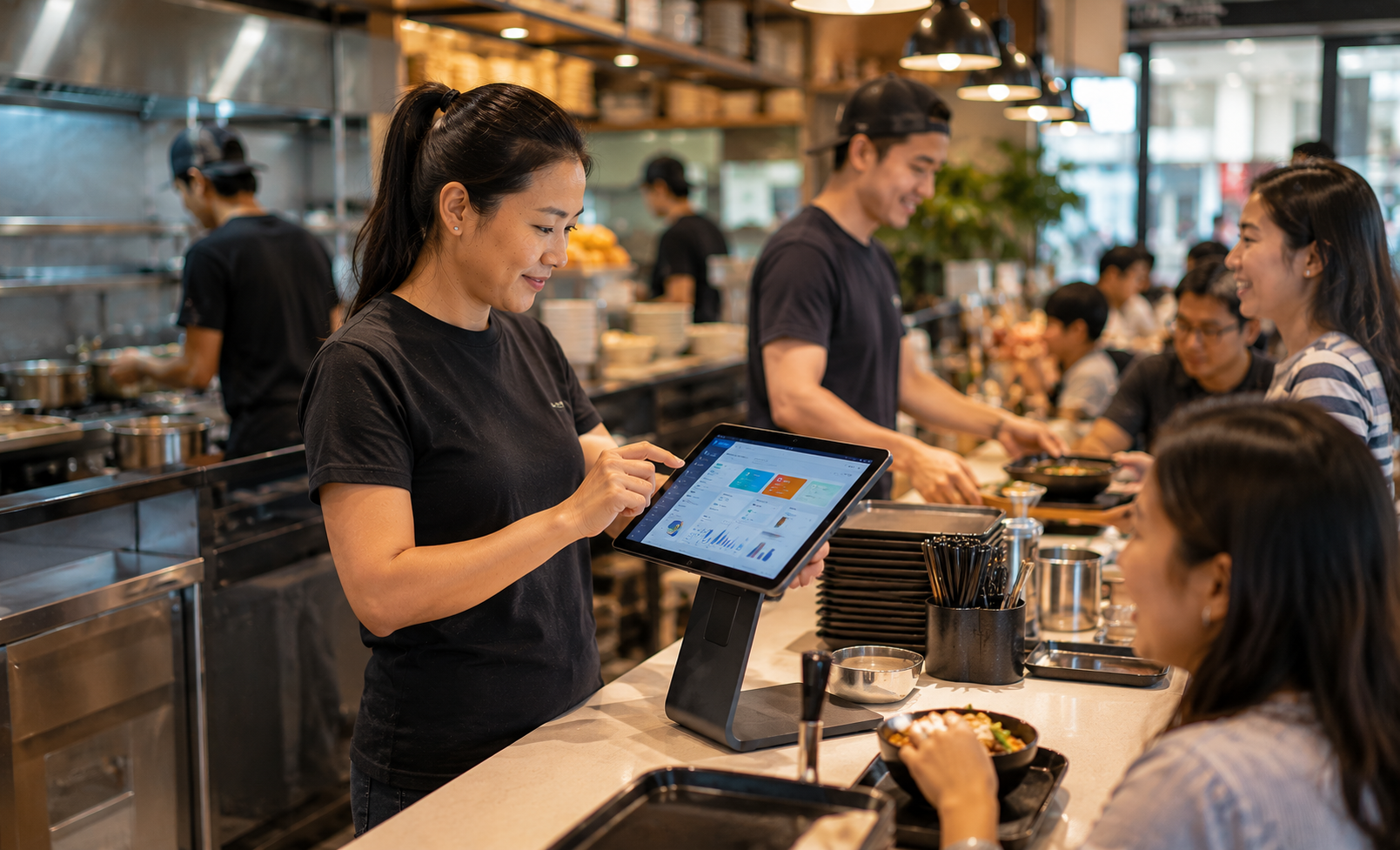
It is 12:15 on a weekday and the lunch crowd has started to build. Orders are arriving from the counter, QR ordering, and delivery platforms at the same time. Behind the scenes, inventory is updating, payments are processing, and sales data is flowing into reports automatically.
For business owners evaluating a new POS setup, one question often comes up early: should you choose a cloud POS system or stay with a traditional POS? Both can process transactions effectively, but the way they support daily operations can be very different. This guide explains the key differences, the tradeoffs to consider, and how Singapore SMEs can determine which approach fits their business best.
The decision is rarely about technology alone. It is about visibility, flexibility, and how you want your business to operate a year from now. Understanding those differences makes it much easier to choose the right direction.
What is the difference between cloud POS and traditional POS?
The primary difference between cloud POS and traditional POS systems is how they store, access, and manage business data. Traditional systems typically rely on local hardware, while cloud-based systems keep information connected online, allowing businesses to access sales, inventory, and reporting across locations and devices. That difference influences everything from daily operations to future growth plans.
Traditional POS systems were designed for an era when most business activity happened entirely inside a physical store. Sales records, inventory information, and reports were often stored on local servers or individual terminals.
Cloud POS systems expanded that model.
Instead of tying information to a single location, cloud platforms connect transactions, inventory, customer records, and reporting through the internet. This allows business owners to view performance remotely, compare multiple outlets, and access operational data from different devices.
Both approaches can support transactions successfully.
The difference lies in how much visibility, flexibility, and accessibility a business wants as operations become more sophisticated.
For many SMEs, the comparison is less about processing payments and more about how information flows throughout the business.
How cloud POS systems work in daily operations
A cloud POS system connects payments, inventory, reporting, and customer information into one real-time workflow. Every transaction updates operational data automatically, helping business owners maintain a clearer view of daily activity as it happens.
Imagine a retail customer purchasing an item.
The payment is completed immediately. Inventory levels update automatically. Sales figures appear in reporting dashboards. If the business operates multiple locations, the information becomes visible across all relevant systems at the same time.
The same principle applies in F&B.
During Singapore’s lunch rush, orders can arrive from walk-in customers, QR ordering systems, and delivery platforms within minutes of each other. A cloud POS helps bring those transactions into one workflow while giving managers visibility into product demand, ingredient movement, and sales performance throughout the day.
Cloud-based systems also align naturally with Singapore’s payment ecosystem.
Most modern cloud POS platforms support:
- PayNow
- SGQR
- NETS QR
- GrabPay
- Credit and debit cards
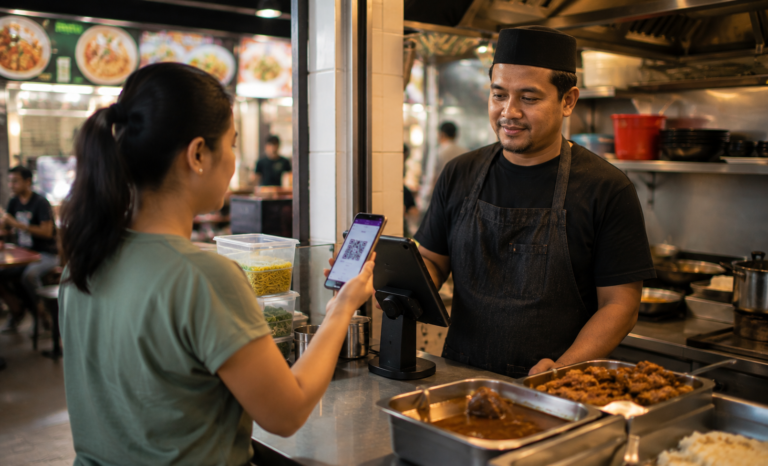
PayNow has become a widely adopted real-time payment method across Singapore, while SGQR allows merchants to accept multiple QR payment options through a single unified code.
Accessibility creates another advantage.
Whether the owner is reviewing reports from another outlet or checking sales figures after business hours, information remains available through laptops, tablets, and mobile devices.
It is a bit like moving from a filing cabinet to a live dashboard that updates itself throughout the day.
Where traditional POS systems still hold value
Traditional POS systems remain a practical option for businesses with straightforward operational needs, single-location setups, and stable workflows. They continue to serve well when on-site infrastructure feels familiar, remote access is rarely required, and existing hardware still delivers reliable performance day to day.
Many established businesses have used traditional POS systems successfully for years.
A neighbourhood retailer operating from one location may find that its current setup supports daily operations comfortably. Staff understand the workflow, reports are familiar, and transactions move smoothly.
Traditional systems can also appeal to businesses that prefer infrastructure managed entirely on-site.
For some operators, maintaining direct oversight of hardware and local systems creates a sense of consistency and familiarity. Businesses that have already invested significantly in traditional infrastructure may also choose to continue building value from their existing setup.
The important point is that traditional POS systems remain valid because cloud alternatives exist alongside them.
Each serves a different operational style.
The real question is whether the current setup continues to align with the business goals, workflows, and visibility requirements that matter most.
A side-by-side comparison: cloud POS vs traditional POS
Cloud POS and traditional POS systems both help businesses process transactions, manage inventory, and generate reports. The difference lies in how they support accessibility, scalability, and day-to-day management.
| Criteria | Cloud POS System | Traditional POS System |
|---|---|---|
| Data storage | Cloud-based | Local server or terminal |
| Access | Available across devices | Primarily on-site |
| Software updates | Automatic | Manual |
| Payment integration | PayNow, SGQR, digital wallets | Depends on setup |
| Multi-outlet management | Centralised | Usually managed separately |
| Reporting | Real-time dashboards | Local reporting |
| Scalability | Easier expansion | Additional infrastructure required |
| Maintenance | Vendor-managed | In-house or technician support |
| InvoiceNow integration | Commonly available | Varies by provider |
For SMEs comparing cloud POS vs traditional POS, the table highlights a broader trend.
Traditional systems focus on supporting activity within a specific location. Cloud systems focus on connecting information across the business.
Neither approach is universally better. The strongest choice is the one that aligns most naturally with how the business operates today and where it plans to go next.
Which type of business benefits most from cloud POS?
Cloud POS systems tend to create the greatest value for businesses that manage inventory actively, operate across multiple channels, or expect operational complexity to increase over time. As more moving parts enter the business, connected information becomes increasingly valuable.
F&B businesses often see immediate benefits.
A restaurant may manage dine-in orders, takeaway requests, QR ordering, and delivery platform orders simultaneously. Keeping those activities connected through a single system helps improve visibility during busy periods while supporting smoother kitchen coordination.
Retail businesses benefit in different ways.
Inventory visibility becomes increasingly important when managing seasonal promotions, multiple product variants, and stock movement between locations. A cloud POS system helps retailers understand what is selling, where inventory is moving, and which products deserve additional attention.
Service businesses such as salons, wellness centres, and fitness studios often focus on customer relationships.
Appointment scheduling, package tracking, membership management, and customer histories become easier to manage when connected through a central platform.
Growing businesses often experience the greatest long-term value.
Many Singapore SMEs begin with a single outlet and later expand into additional locations, kiosks, or pop-up formats. Cloud POS systems make that transition easier because inventory, reporting, and payment records remain connected as operations evolve.
Every business moves at its own pace, and the operational advantages of cloud POS become increasingly valuable as complexity grows.
What to consider before making the switch
Moving from a traditional POS system to a cloud platform is fundamentally an operational decision as much as a technology one. The goal is to find a system that supports the way the business runs today while creating flexibility for future growth.
Start by evaluating current workflows.
How easily can you access sales reports? How quickly can inventory be reconciled? How much visibility do you have across locations, products, and customer activity?
These questions often reveal where additional connectivity could create value.
Next, review payment integrations.
Singapore customers actively use PayNow, SGQR, NETS QR, cards, and mobile wallets. A modern POS system should support the payment methods customers already expect during checkout.
Reporting capabilities deserve close attention as well.
The best POS system Singapore businesses choose often helps answer practical questions such as:
- Which products generate the most revenue?
- Which hours attract the most customers?
- Which outlet performs strongest?
- Which promotions are creating results?
Integration capabilities also matter.
Accounting software, inventory systems, customer databases, and invoicing workflows all contribute to daily operations. Systems that work together naturally help create a smoother experience over time.
For SMEs exploring digital solutions, the SMEs Go Digital programme and GoBusiness Tech Depot can provide useful guidance when evaluating technology options. Businesses reviewing invoicing workflows may also consider compatibility with IRAS InvoiceNow as part of broader operational planning.
The Productivity Solutions Grant (PSG) may also support digital adoption efforts. Eligible businesses that select an approved solution may receive funding support of up to 50% of qualifying costs, capped at S$30,000. Reviewing available solutions through GoBusiness Tech Depot can help businesses understand eligibility requirements and available options before making a commitment.
A successful switch is rarely about adopting the newest technology. It is about choosing a solution that supports how the business wants to operate in the years ahead.
Making the right call for your business
The cloud POS vs traditional POS conversation is ultimately about business fit rather than technology preference.
A traditional POS system can continue serving a stable, single-location operation effectively. A cloud POS system can provide stronger visibility, flexibility, and scalability for businesses with evolving operational needs.
The right choice depends on where your business is today and where you expect it to be tomorrow.
As customer expectations continue evolving and digital payments become increasingly common, many SMEs are choosing systems that keep payments, inventory, reporting, and customer information connected in one place.
That shift reflects a practical priority: building a clearer view of the business and creating smoother operations for staff and customers alike.
A year from now, the value of a POS system is rarely measured by how quickly it processes a payment. It is measured by how clearly it helps you understand the business behind every transaction.
Labamu is one example of a cloud POS system built for Singapore SMEs. Designed for F&B, retail, and service businesses, it brings together sales, inventory, and operational visibility in one connected platform. Businesses looking for a modern POS and cashier system can explore how cloud-based tools support day-to-day operations while creating better visibility across the business.
For food businesses, operational needs often vary significantly. A busy restaurant POS system may need table management and order coordination, while a coffee shop POS system may focus on speed during peak-hour queues. Even smaller operators can benefit from a hawker stall POS system that simplifies payments and daily sales tracking.
If you are exploring the next step for your business, learn more about Labamu and see how a connected POS system can support your growth journey.