


Labamu HRIS
Employee management system with one record per employee
Keep personal details, job history, documents and tax data in one record. Promotions and transfers take effect from the date you set, and attendance and payroll follow automatically.
Employee data every module can rely on
Attendance, leave, payroll and approvals all read from the employee record, so it has to be right on the right date. With employee records in one HRIS software, every change is dated, logged and passed on to the rest of HR.
Everything about your people, organised
In the app
One record per employee
Personal, job, document and tax details in one profile.
Details ↓
Company structure and org chart
Employers, locations, departments and job titles in one structure.
Details ↓
Promotions and transfers
Job changes take effect from the date you set.
Details ↓
Protected identity documents
Numbers stay masked until a password unlocks them.
Details ↓
Tax and CPF details
Statutory data stored and checked on each record.
Details ↓
Appointment letters
Letters filled from your template, ready to print or save as PDF.
Details ↓
One record per employee
Add a new hire with personal and job details in one form, and the record is ready for attendance, leave and payroll straight away. Every edit is logged with its old and new value.
- Employee codes generated from your own format
- Status from onboarding to active, on notice and separated
- Change history for every field, with its date and source
- Employees view their profile in the app and update their own contact details In the app

Company structure and org chart
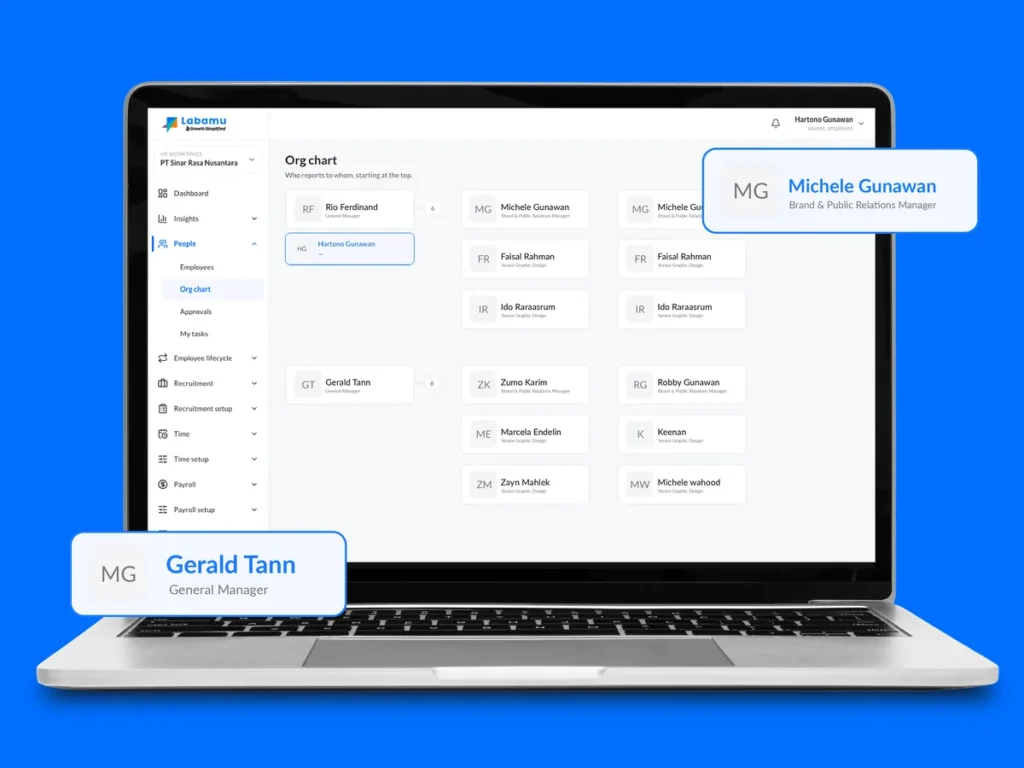
Set up your legal employers, branches, work locations, departments and job titles once, then pick from them everywhere else. Managers and office teams see who reports to whom in the org chart.
- Legal employers with their own country, currency and pay schedule
- Departments as a tree, with job titles and the skills each one requires
- Work locations with address search and a check-in radius
- Ready-made employment types such as full-time, contract and intern
Promotions and transfers
Prepare a promotion or transfer as a draft, then submit it on or after its effective date. The old terms end the day before, and the employee’s history shows both.
- Promotions to a new job title, grade, department or branch
- Transfers to another employer, work location or manager
- Current and new values shown side by side before you save
- A submitted change can be undone while it is still the latest one
Protected identity documents
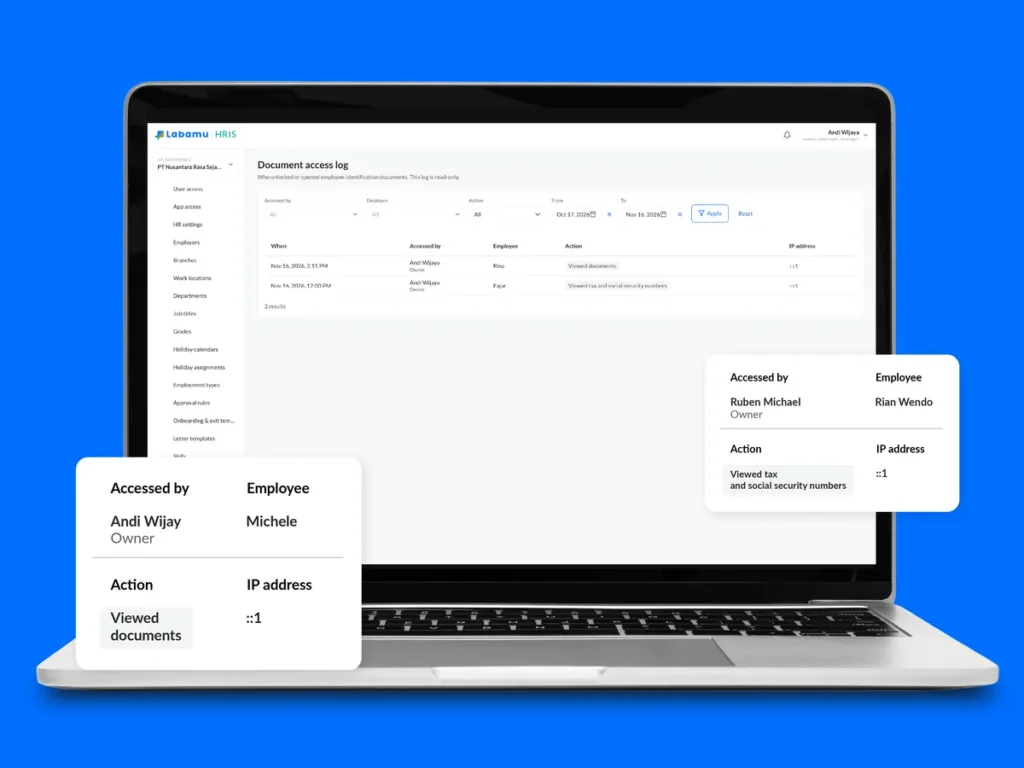
Store identity documents such as passports with their scans on each record. Numbers stay masked until the viewer re-enters their password, and every view is logged.
- Only the last 4 characters shown until unlocked
- Unlock lasts 5 minutes for one employee, then locks again
- Document access log for the company owner
- Expired documents highlighted on the record
Tax and CPF details
Record each employee’s tax and social security details once, and payroll uses them in every run. Formats are checked when you save, and employees see their own numbers partly hidden in the app.
- NRIC or FIN with its check letter verified
- CPF account, residency status and PR date
- Self-help group fund, work pass type, and levy sector and tier
- Tax details for any other country stored on the same tab
Appointment letters
Keep your standard appointment letter as a template with placeholders. Create a letter for a new hire in a few clicks and print it or save it as a PDF, ready for both signatures.
- Name, job title, department and employee code filled in automatically
- Up to 50 numbered terms per template
- Letters for employees or job applicants
- Signature lines for the company and the employee
Also included: multi-step approvals and the employee mobile app
How it works
Set up your structure
HR adds employers, locations, departments and job titles on the web, or installs the ready-made defaults.
Add your employees
HR adds people one by one or imports them during setup, and each one gets an employee code.
Keep records current
Promotions, transfers and edits are recorded with their dates, and attendance and payroll follow.
Employees check their own data
Employees open their profile in the mobile app and update their contact details.
Employee management system FAQ
What does an employee management system do?
It keeps one record per employee, with personal details, job history, documents and tax data, so HR, attendance and payroll all use the same information.
Can managers see their team?
Yes. Managers see their direct reports and open their profiles, while documents and HR actions stay with HR.
Can employees update their own details?
Yes. In the mobile app, employees view their profile and change their phone, personal email and preferred name. Other changes go through HR.
How are sensitive documents protected?
Document numbers stay masked until the viewer re-enters their password, the unlock lasts 5 minutes, and the owner can review every view in the access log.
Can we import our existing employee list?
Yes. During setup, employees can be imported from a spreadsheet, up to 100 rows at a time, with each row checked on its own.
Keep every employee record in order
See how Labamu HRIS keeps records, job changes and documents in one place for every entity. Book a demo with our team.